Windows OS
Find your desktop rhythm with verified software and clear transaction reviews.
Explore WindowsTHREE NETWORKS. FOUR PLATFORMS. ONE CLEAR START.
A little less guesswork. A clearer view of your next move. Explore BitMax wallet guides for Windows, Linux, iOS, and Android—one practical question at a time.
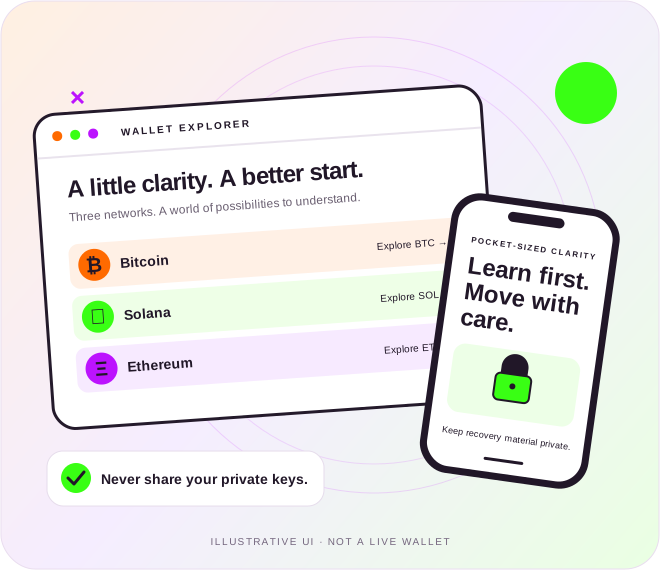
01 / PICK YOUR NETWORK
Go beyond the balance screen. Learn the concepts behind each wallet workflow.
The basics behind the balance. Explore keys, receiving methods, and a recovery plan you understand.
A clearer view of SOL, tokens, accounts, and the requests behind the interface.
Learn the difference between accounts, networks, gas, and permission to spend.
02 / DESKTOP TO POCKET
Your operating system is the starting point—not the whole security story.
Find your desktop rhythm with verified software and clear transaction reviews.
Explore WindowsCheck the package, understand permissions, and plan an update route.
Explore LinuxA pocket-sized guide to app identity, device access, and recovery.
Explore iOSExplore app sources, permissions, and thoughtful mobile routines.
Explore AndroidCompare the questions that matter: where the software comes from, what you authorize, and how you recover.
Compare desktop & mobile ↗03 / WALLET FIELD NOTES
Practical reads for the questions that show up before—and after—you choose a wallet.

Separate Ethereum accounts, networks, ETH, tokens, fees, and approvals before choosing a desktop or mobile wallet workflow.
Read the guide 6 min ↗
Distinguish connections, signatures, transactions, and allowances, then spot requests that do not match your intended action.
Read the guide 6 min ↗
Compare Windows, Linux, iOS, and Android by review clarity, software origin, maintenance, custody model, and recovery needs.
Read the guide 7 min ↗
Prepare a Windows wallet environment with a verified publisher, supported installation route, clear recovery plan, and careful review.
Read the guide 6 min ↗
Understand Bitcoin wallet control, receiving addresses, backup planning, and the checks that matter before a first transaction.
Read the guide 6 min ↗
Evaluate Linux wallet distribution routes, package provenance, signing identities, permissions, and recovery responsibilities.
Read the guide 6 min ↗04 / A FEW THINGS WORTH REPEATING
Keep the questions simple. Give the important details your attention.
Know what restores access before losing your phone or computer. Keep recovery material private.
Investigate the publisher and installation route. A familiar logo is not the entire story.
Read the account, network, and asset context before following a receiving or sending workflow.
Understand the request in front of you. Stop when it no longer matches the task you intended.
05 / THE USEFUL QUESTIONS
Start here when a wallet term, platform choice, or website claim leaves you guessing.
More questions, answered ↗No. BitMaxWallet.com is an independent educational website about Bitcoin, Solana, and Ethereum wallet workflows. It does not hold funds, generate keys, connect wallets, process transactions, or provide wallet software downloads.
Yes. Each operating system has a dedicated guide covering preparation and verification questions. These are educational resources, not a promise that a specific wallet application supports every platform.
No. A multi-asset interface can display several networks, but the account, asset identity, receiving method, and authorization requirements still need to be checked for the specific network and action. Read the relevant topic guide before proceeding.
Start with the verified publisher, exact platform support, custody and recovery model, maintenance route, and clarity of transaction previews. Check current product documentation rather than relying only on a logo, review count, or screenshot.
No. Never send a recovery phrase, private key, password, or backup file to BitMaxWallet.com. Reading guides and sending an editorial question require no wallet connection or proof of ownership.
Start with the network. Find your platform. Make the next step an informed one.